
Turn one good meet into a week of Instagram traffic.
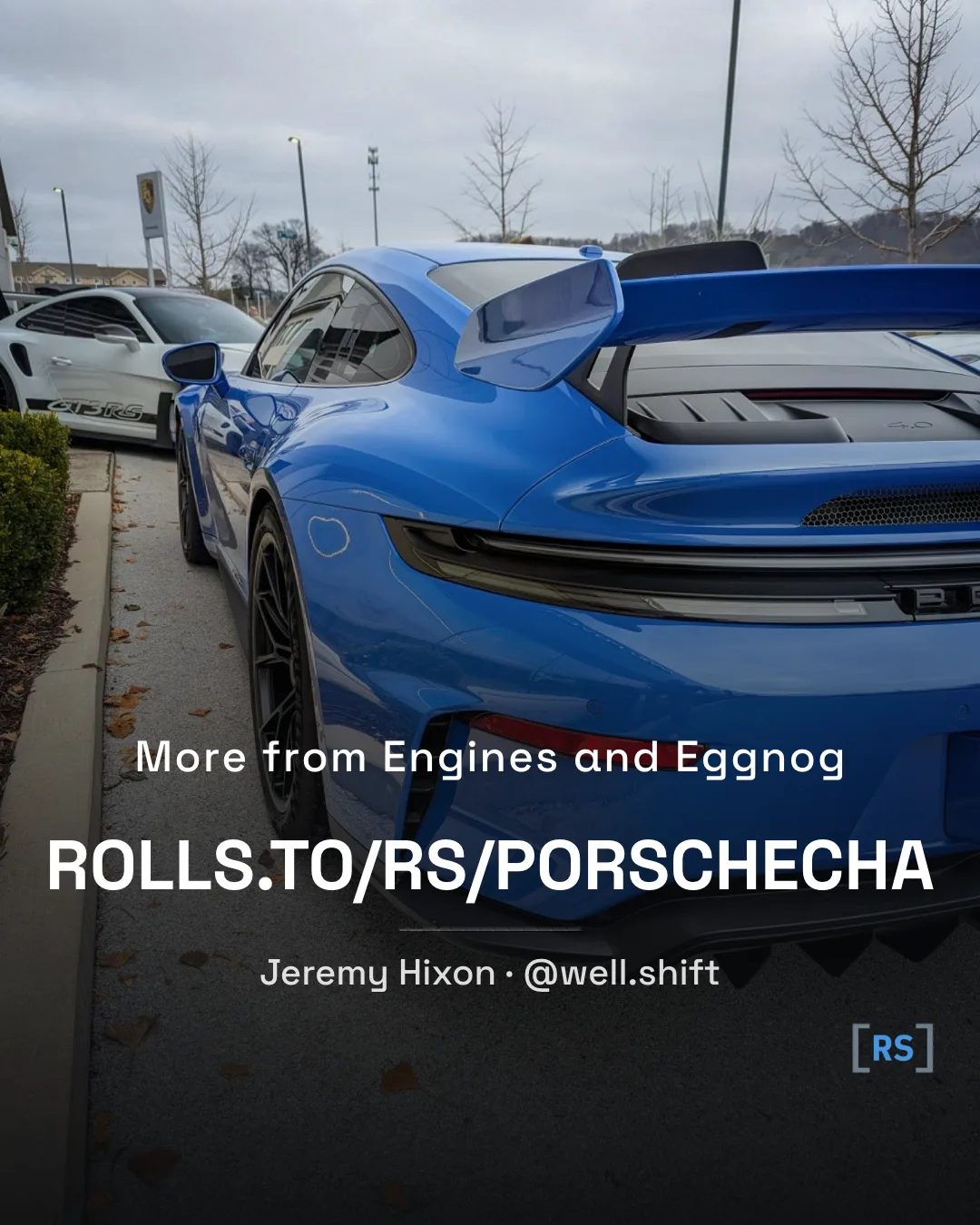
Upload the photos from your last meet, generate a Final Image with the tool here, and use it as the last slide of your Instagram carousel. Anyone who swipes to the end lands on your photographer URL, where everything you have shot lives in one place.
Create your photographer accountTwo minutes: upload photos and flag an event we missed.
Four steps from card reader to carousel.
-
01
Post your photos from the event
Open the upload page and pick the event you shot. Drop in your photos. Alt text and captions are optional. Once they are live, every shot carries your name and links back to your photographer page.
-
02
Create your Final Image
Head to Final Image. Pick any photo you have uploaded (or one from your phone). Choose Universal to point at your full photographer page, or Per-event to point at your gallery for that specific series. Edit the setup line if you want, then download the PNG.
-
03
Build your Instagram carousel
Pick your best shots from the meet, in the order you want people to see them. Aim for three to nine. Export at vertical 4:5 so nothing gets cropped.
-
04
Drop the Final Image in the last slot
Add the Final Image as the last slide of your carousel. Anyone who swipes to the end of the post lands on your photographer URL. Caption the post, tag the event, publish.
Prefer your phone?
Everything here works in the RollingSeries app, installed to your home screen. Same login, same photos, two taps from the lot.
Get the appOne short URL, every car you have shot.
Instagram captions are not clickable, and a link in your bio is one slot for everything you have ever made. The Final Image works around both: a short URL sits on screen at the end of your carousel, where viewers can read it straight off the image and type it in.
Your URL is set on your contributor profile. Universal Final Images point at your full archive. Per-event ones point at your gallery for that specific series.
Got a meet from last weekend?
Upload the photos, generate a Final Image, post the carousel. The whole thing is about ten minutes.
Upload your photosAlready uploaded?
Skip straight to the Final Image generator and build the last slide of your next carousel.
Open Final ImageQuick answers.
Do I have to use a photo I uploaded here?
No. The Final Image tool has an "Upload from device" tab so you can use any photo, including one you have not posted to RollingSeries. The card renders the same either way.
What is the difference between Universal and Per-event?
Universal points the URL at your full archive across every series. Per-event points it at your gallery for a specific series, so if your carousel is all from one meet, the click lands directly on that meet. Pick whichever matches the post.
Why does my URL look generic?
You have not set a short URL yet. Open your contributor profile and choose a slug. Once it is set, the Final Image tool will use it automatically.
Can I change the text on the card?
The setup line is editable, up to 40 characters. The URL, your name, and your Instagram handle are pulled from your profile so the card stays consistent across everything you post.
Does Instagram strip the URL from the image?
No. The URL is part of the image itself, so it survives the upload. It is not a clickable link inside Instagram (nothing in the feed is), but it is short and readable enough that people will type it in or screenshot it.